●
Explore
●
What’s New
New!
●
Recent Photos
●
Trending
●
Events
●
●
The Commons
●
Flickr Galleries
●
World Map
●
Camera Finder
New!
●
Flickr Blog
●
Prints
●
The Print Shop
●
Prints & Wall Art
●
Photo Books
✨ Get Pro
●
Pro Plans
●
Stats Dashboard
●
Get Auto-Uploadr
●
Log In
●
Sign Up
✨ Get Pro
●
Log In
●
Explore
●
What’s New
New!
●
Camera FinderNew!
●Trending
●Events
●The Commons
●Flickr Galleries
●Flickr Blog
●
The Print Shop
●
Prints & Wall Art
●
Photo Books
About
Jobs
Blog
Advertise
Developers
Guidelines
Help
Privacy
Legal
Terms
Cookies
English

Print your photo books with Blurb®.
Get $35 off your Blurb® purchase.* Learn more
Make a book
Upgrade to Pro
* Get $35 dollars off your Photo Book purchase up to 4 times a year! Valid for orders of $70 or more when you’re on an annual Flickr Pro plan.
1
Create.
Connect your Flickr account to Blurb and start your book. You can easily import your photostream and albums into the book layout.
2
Print.
Get all the options you need for your project, including digital output, print on demand, and offset printing. Plus, choose from a wide range of paper options. It’s all up to you.
3
Sell.
Choose from a range of distribution options, including Amazon, Ingram, and the Blurb Bookstore. As a Flickr Pro, you can now promote your books on Flickr as well. Learn more
Customize.
Take advantage of Blurb’s many sizes, paper choices, and styles. Unleash your creativity with captions, text, and countless photo layouts.
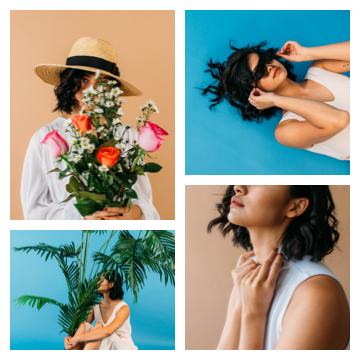
 Another stunning photo shoot!
Want more creative control?
Lay out your book, magazine, or ebook with your favorite tools. Get easy print setup with Blurb’s plug-in for Adobe InDesign and Adobe Lightroom Book Module. Or, design with any app and use Blurb’s PDF uploader. Learn more

Share.
Once you receive your Blurb book, share it with the Flickr community. Join the official Blurb Books group on Flickr and inspire others with your creations.
●6,595 members
●2,064 photos
●644 discussions

Make a book
Upgrade to Pro